

Book a demo
Want certain words replaced with abbreviations? The Glossary does it for you. Set up your rules once—for example, “Hypertension” becomes “HTN”, “Type 2 diabetes” becomes “T2DM”—and skip the manual fixes.
The glossary is a powerful way to standardize your terminology and save time.
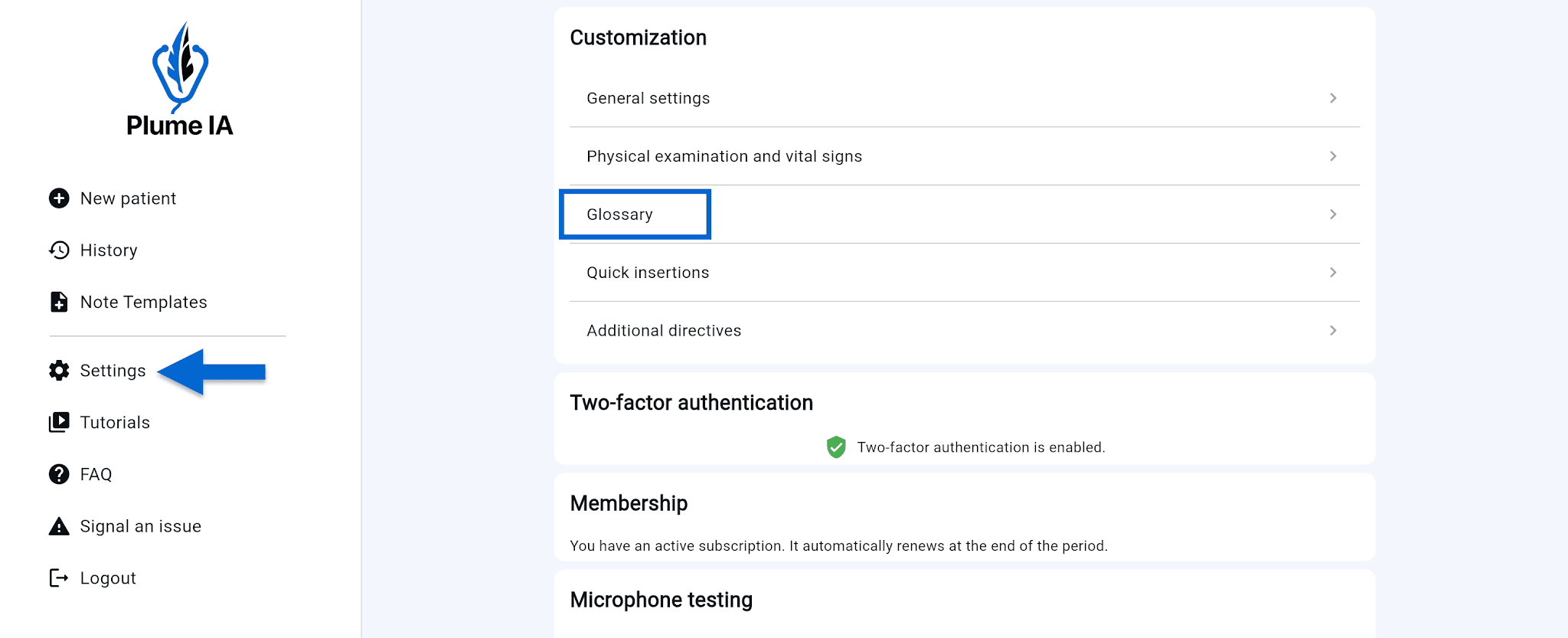
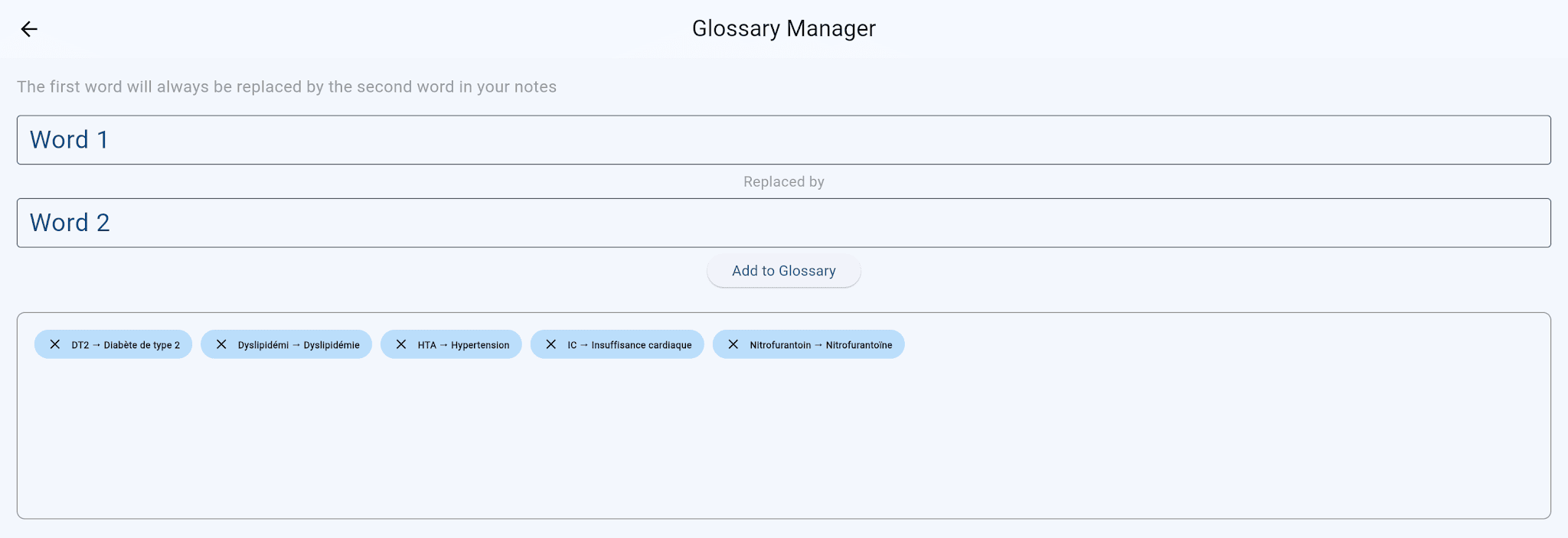
To remove an entry, click the × on its tag.
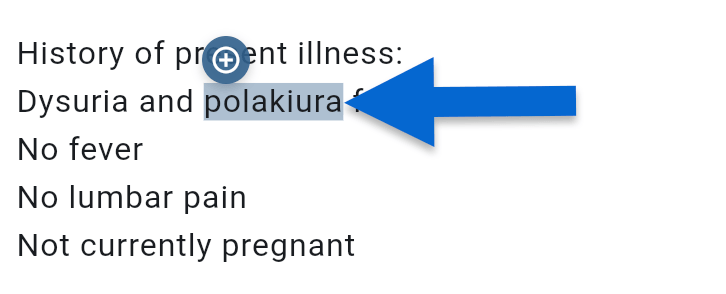
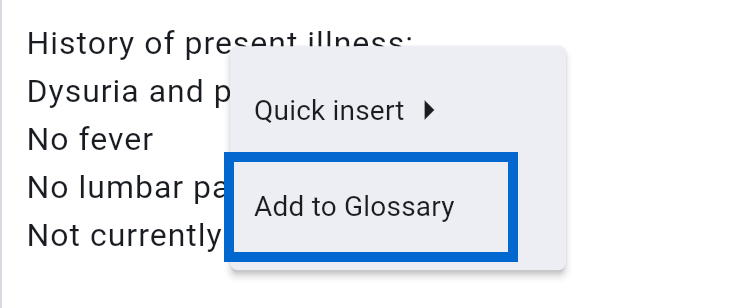
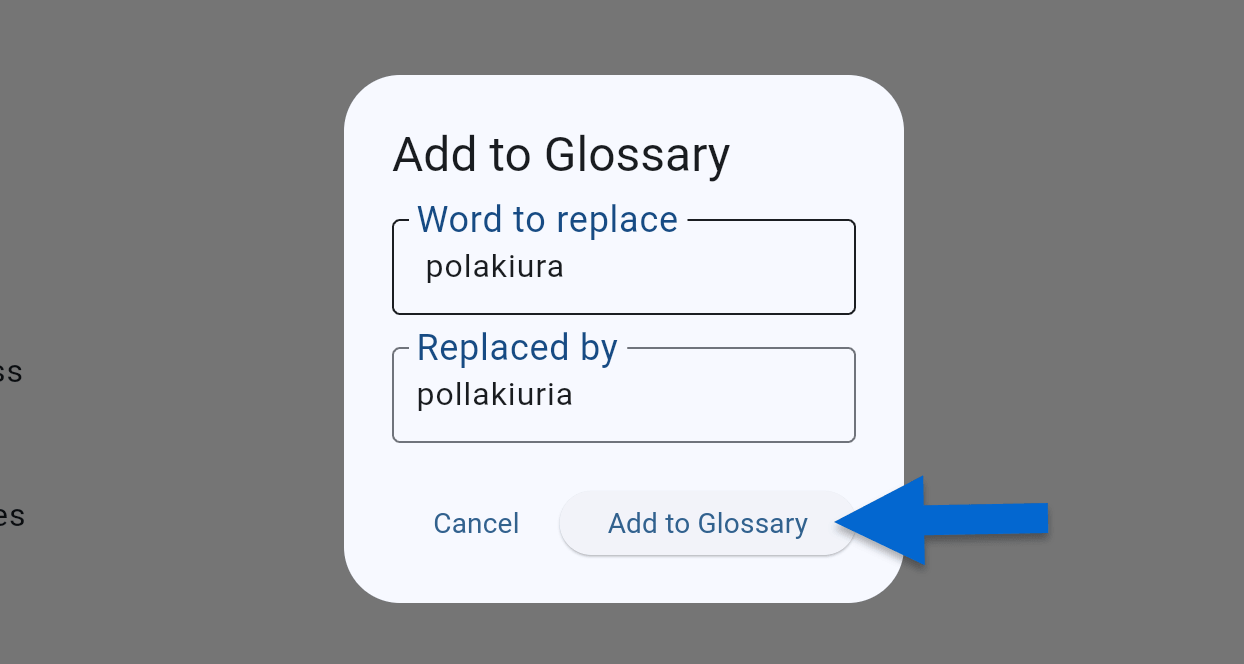
This is the fastest way to grow your glossary. In a generated note, select the word you want to add, then click the + button that appears. Choose Add to glossary from the context menu. A window opens with the word already filled in the Word to replace field. Enter the replacement and click Add to glossary.
💡 Set up the Glossary once—it applies automatically to all your future notes.