
Icône blanche de calendrier stylisé avec six points représentant des jours, sur fond sombre.

Book a demo

Help Center

Lanthier

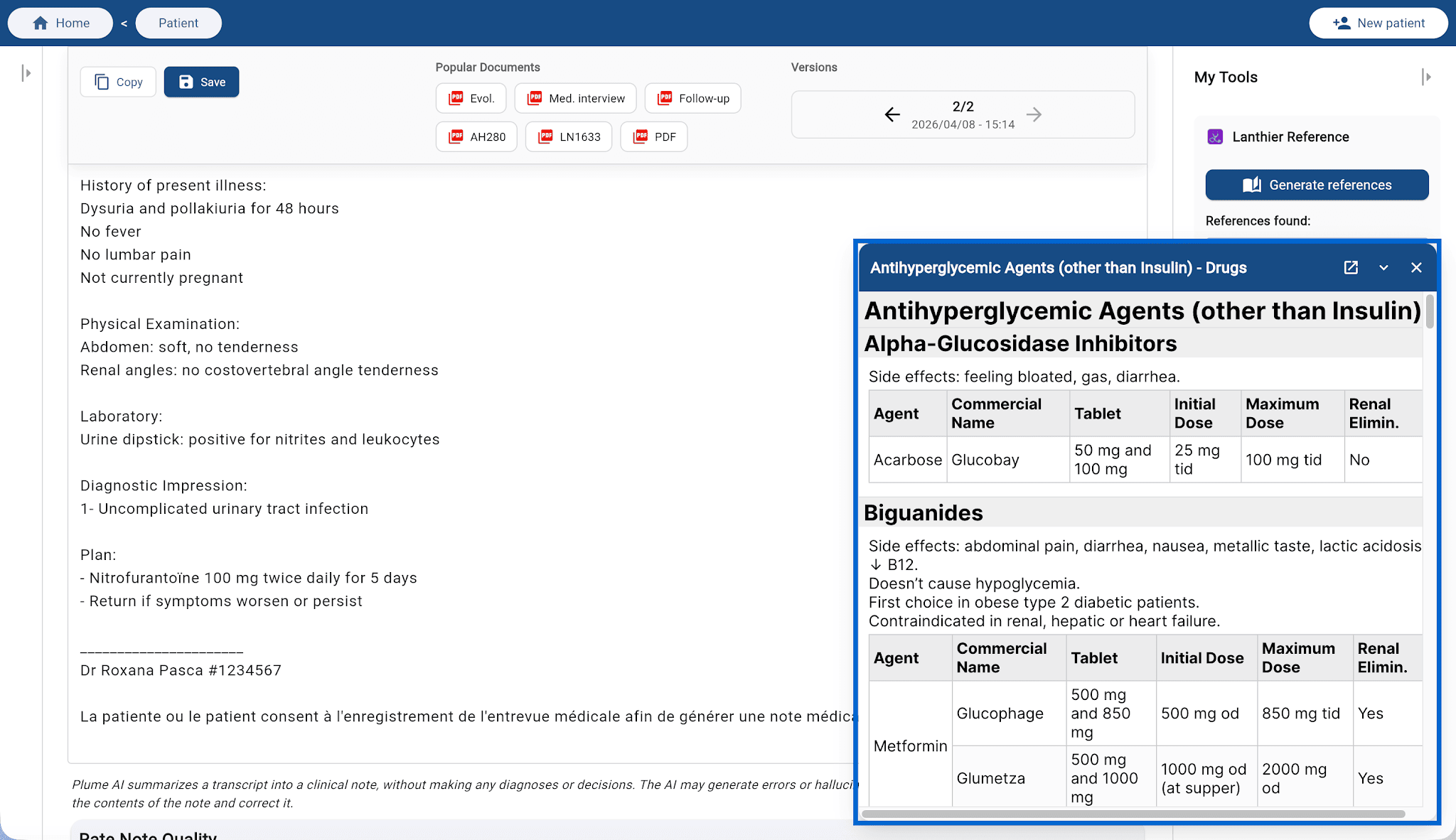
Through a partnership with Lanthier — Guide Pratique de Médecine Interne, Plume AI integrates their search engine directly into your workspace.

Browse a large medical knowledge base instantly during consultations, without leaving the app.
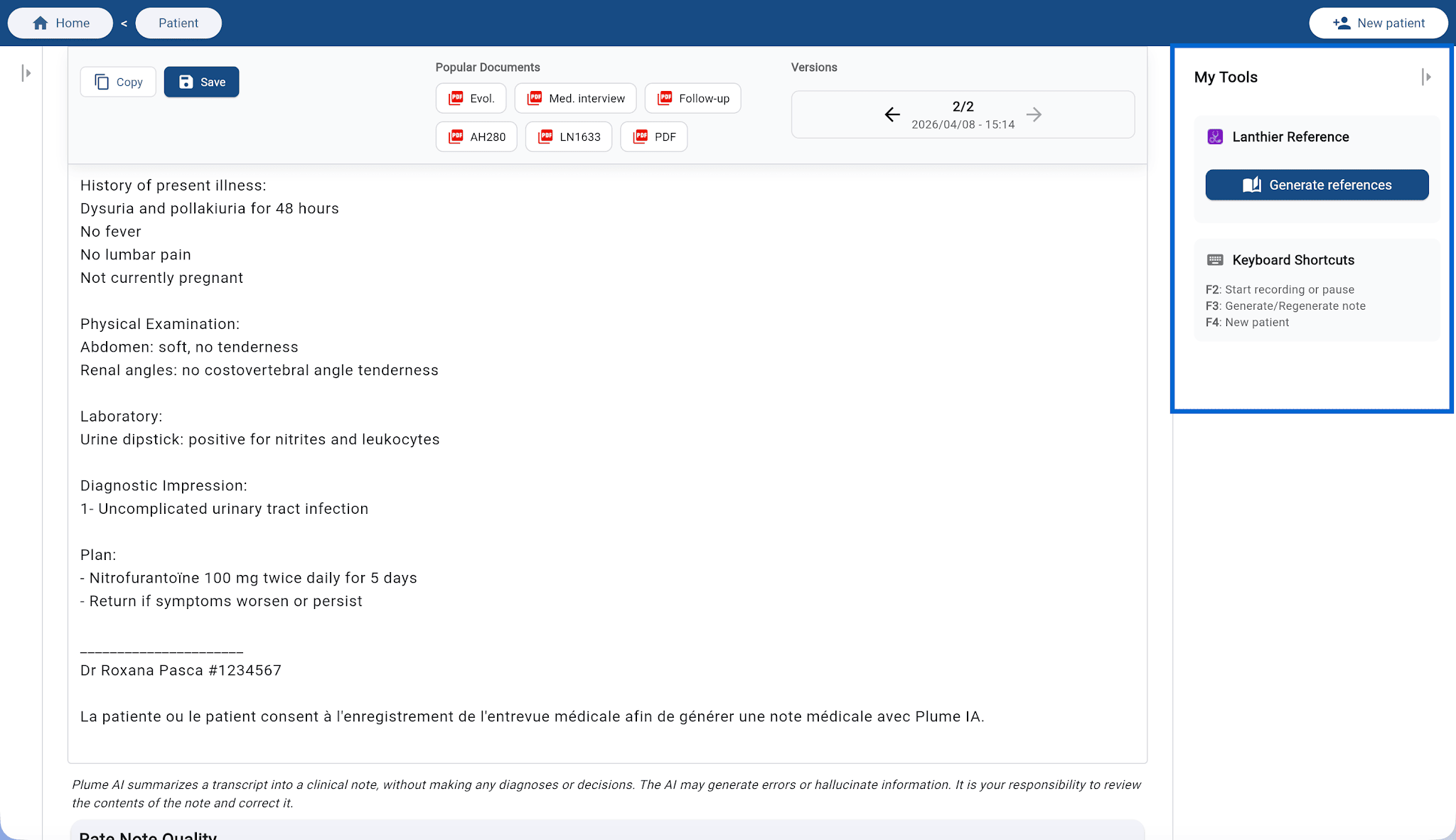
Lanthier reference in Plume IA

How to use Lanthier reference

The Lanthier integration is available in the web browser, on mobile, and on tablet.
  1. Generate your medical note as you usually do.
  2. Open the right-hand sidebar, My tools section.
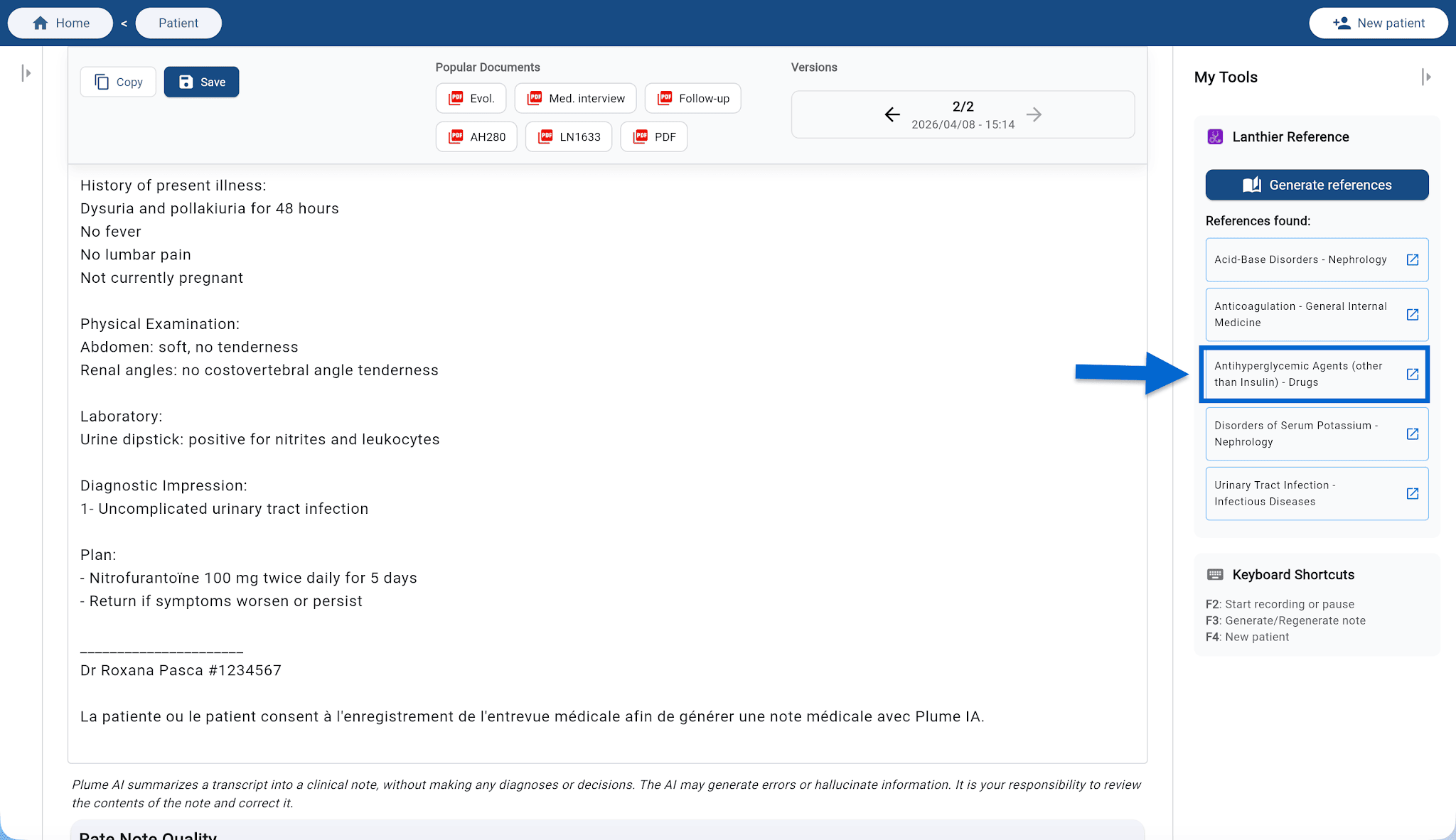
  3. Click Generate references: Plume AI automatically analyzes your note and suggests relevant Lanthier references based on the clinical context.
  4. Click the reference you want to open the resource in the interface, without leaving Plume AI.
Generate Lanthier references
Lanthier reference results

💡 Tip: References are generated from your note. The more complete your note, the more accurate and useful the suggestions will be.


‍