Settings Make Plume AI work your way. Here you can tailor the app to your workflow and clinical needs.
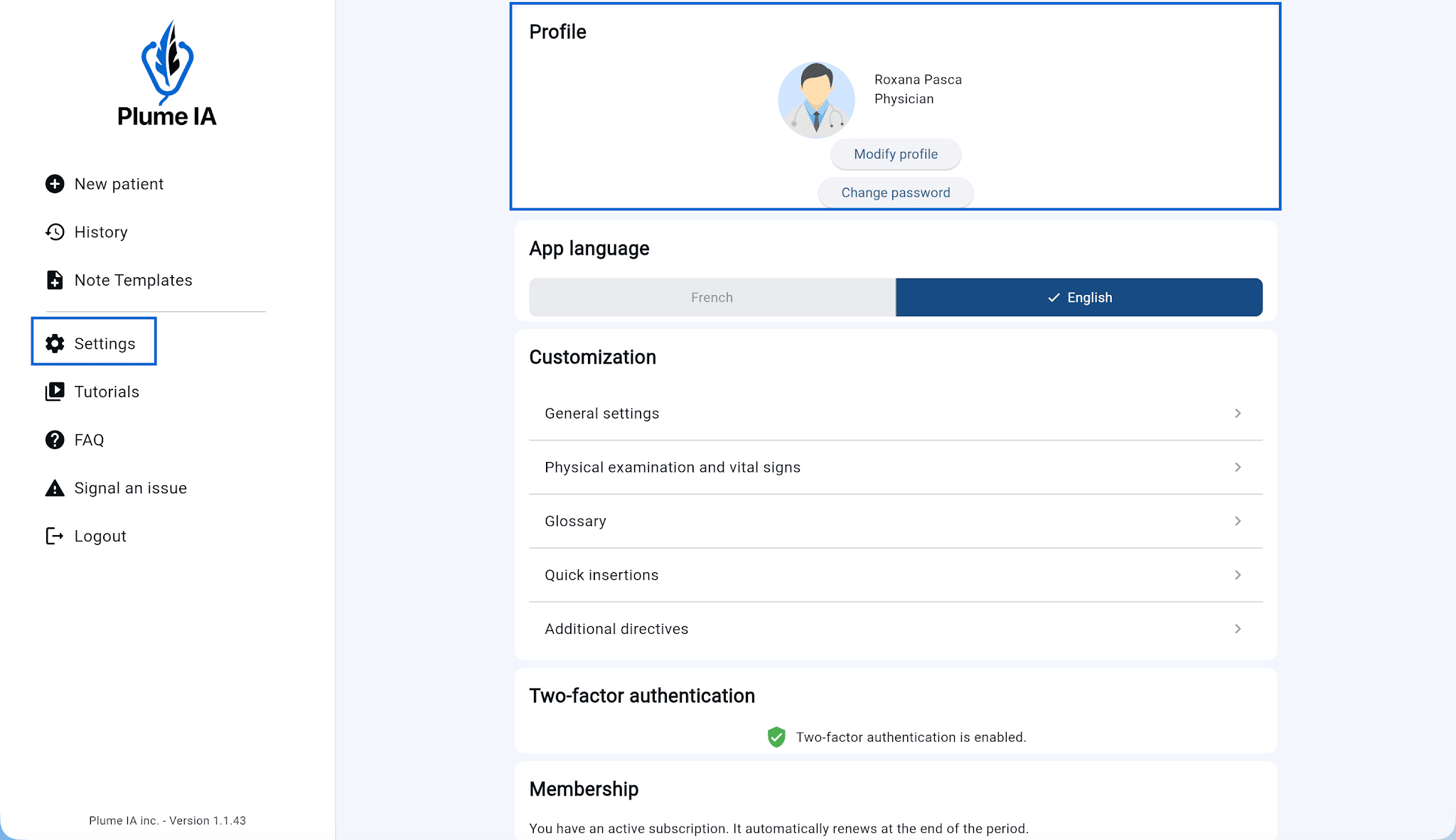
Profile Click Edit profile to update your personal and practice information: name, specialty, license number, and more.
To change your password, click Change password and follow the steps.
Application language Choose the interface language: French or English.
⚠️ This setting applies only to the app interface. The language used to generate notes is configured separately in each visit’s options.
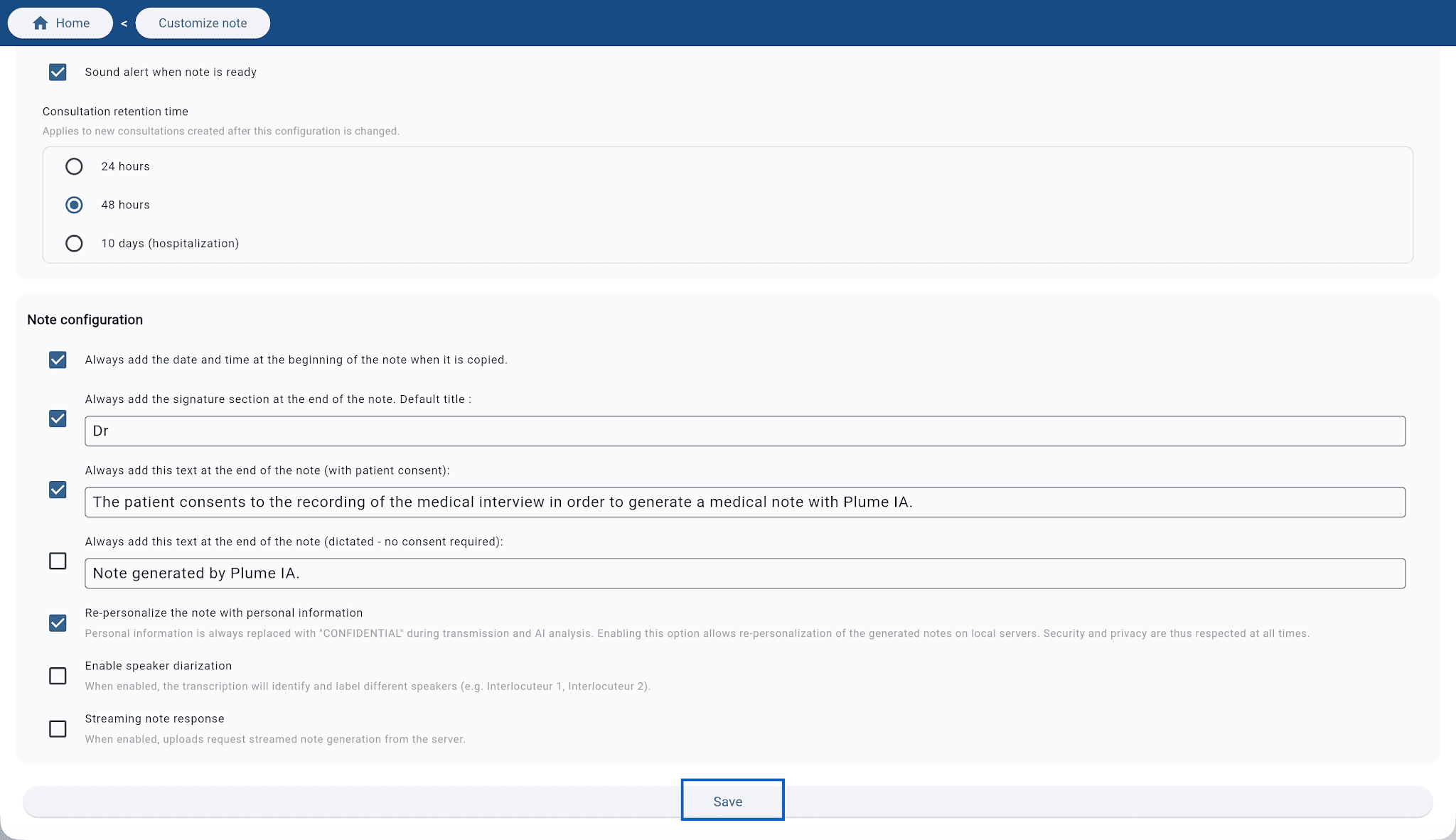
Customization General settings Adjust overall app behavior to match your preferences:
Sound alert: play a sound when note generation finishesCare episode deletion delay: choose 24 hours, 48 hours, or 10 days (recommended for inpatient care)Timestamp: automatically add the time when you copy the clinical noteCredential line in signature: add your name at the end of the notePatient consent: automatically append a consent statement at the end of the noteEnd-of-note text: add custom text at the end of every generated notePatient personal information: by default, details are replaced with « CONFIDENTIAL ». Turn this on to include them in the note.💡 Note: your data stays fully de-identified during AI processing; re-identification applies only after processing is complete.
Speaker diarization: the model distinguishes and labels different speakers in the transcriptReal-time note output: when enabled, the note streams in progressively instead of appearing all at once when processing ends⚠️ Remember to click Save after each change so your updates are stored.
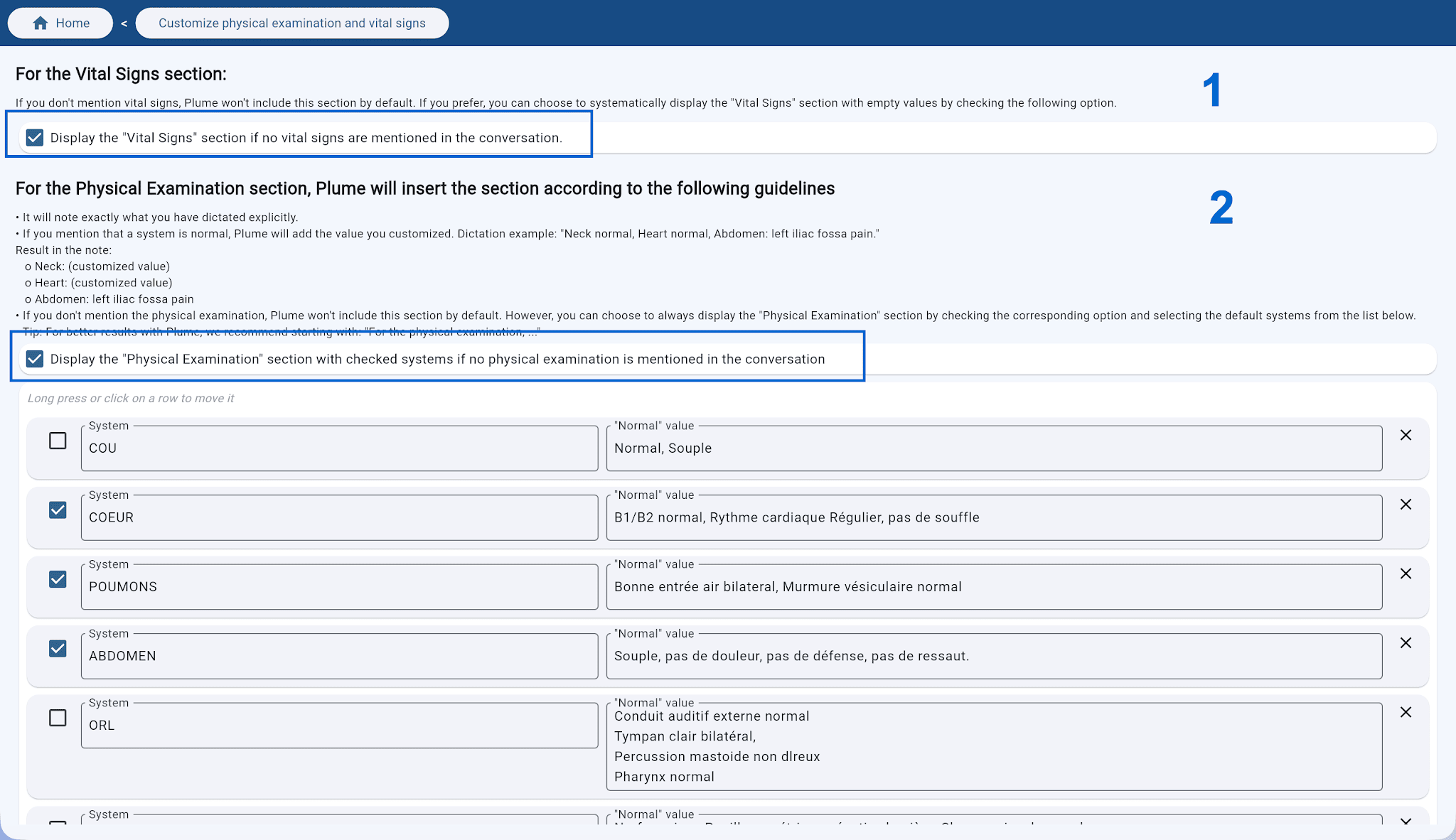
Physical exam and vital signs Vital signs: automatically include a Vital signs section in the note even if vitals were not mentioned during the visitCustom physical exam: map each system to your usual normal findings. Those values are merged into the Physical exam section of your notes.Covered in other help sections The following settings are explained in detail in their dedicated sections:
Manage terms, acronyms, and phrases specific to your practice so Plume AI recognizes and uses them correctly.
Create and manage predefined text blocks you can insert in one click in your notes.
Save frequent directives as reusable templates to quickly customize how your notes are generated.
Two-factor authentication Add an extra layer of security to your account. Once enabled, you will be asked for a verification code at sign-in in addition to your password.
Subscription and account Review your subscription status: renewal date, remaining free trial, or details of your current plan.
Microphone test: confirm your microphone is detected and working before a visit.Sign out: sign out of your account.Delete my account: permanently delete your account and all associated data.