By clicking “Accept,” you consent to the storage of cookies on your device to improve website navigation, analyze site usage, and support our marketing efforts. See our Privacy Policy for more information.
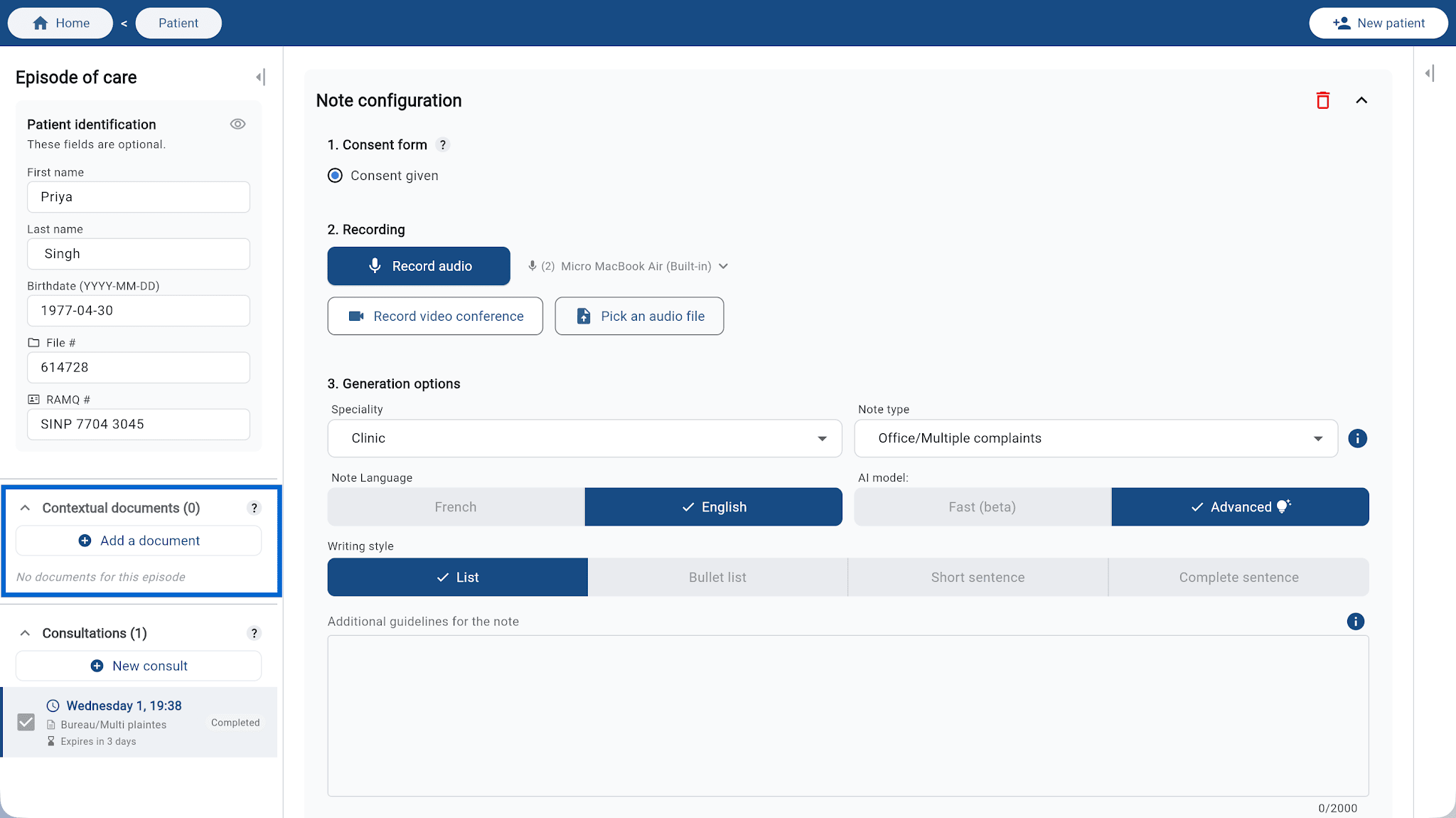
Contextual documents let you enrich a care episode’s context by attaching reference files. Before generating a note, Plume AI analyzes these documents and uses them automatically—you don’t have to summarize or dictate their contents.
This is especially helpful for continuity when following a patient, or so the note reflects the full clinical picture from the very first visit.
What kinds of documents can you add?
You can attach any document that supports care, for example:
Notes from previous consultations
Initial assessment reports
Test or imaging results
Referral letters from another clinician
Standardized forms or assessments
How to add a document
In the care episode sidebar, find the Contextual documents section.
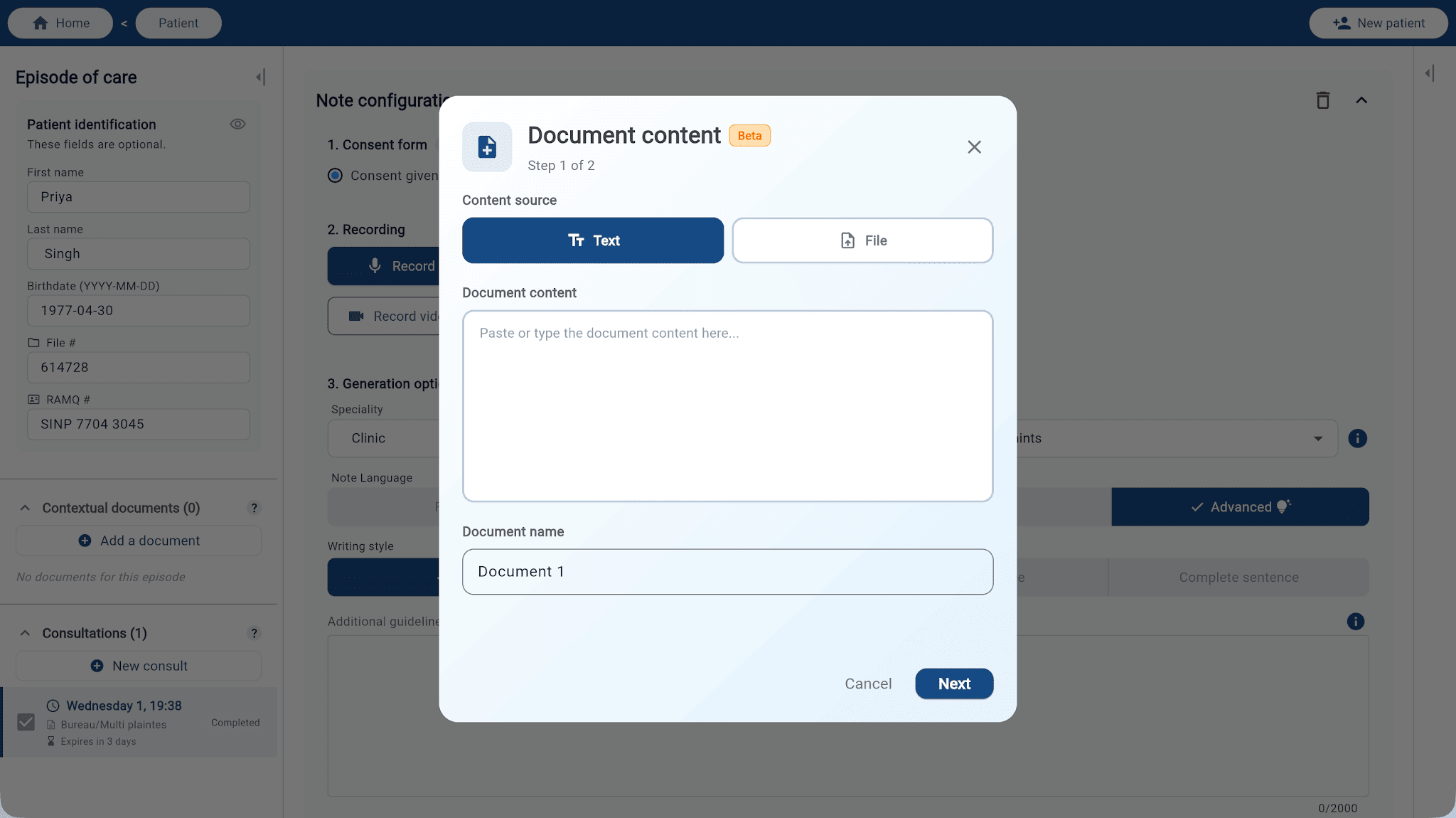
Click Add document.
Pick the content source based on what you have:
Text: paste the document content directly (e.g. text from a referral letter, results copied from your EMR).
File: import a PDF file from your device.
Give the document a name so you can find it easily, then click Next.
The document is now available for every consultation in this episode.