

Icône blanche de calendrier stylisé avec six points représentant des jours, sur fond sombre.

Book a demo

Help Center

Additional information

‍

Practical tips, advanced setup guidance, and common mistakes to avoid.

Tips based on your starting point

Search for an existing template

If you cannot find the template you want in the list:
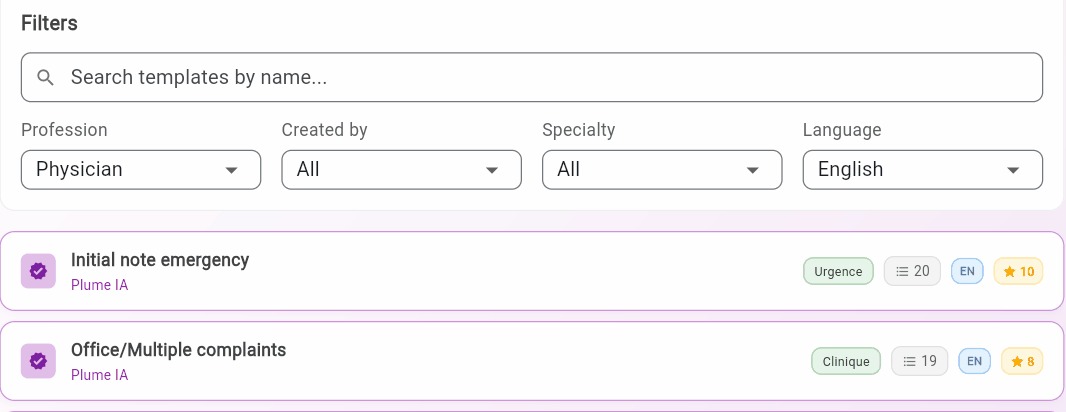
  • Search by profession, specialty, or keyword.
Bouton Nouveau patient dans l'historique des consultations

Generate from an example

If the analysis of your example gives disappointing results:

  • Make sure your PDF is a text document, not a scanned image.
  • The more real and detailed content your example has, the better the analysis. A blank skeleton produces weaker results.

Reminder: No matter which starting point you choose, the generated template is always fully editable (sections, order, content, format, and more).

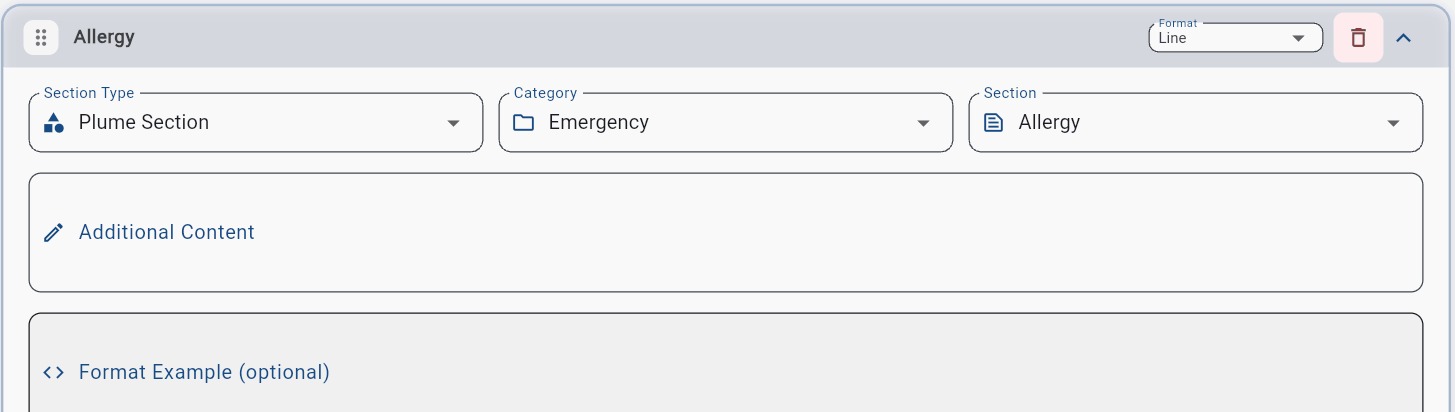
Plume IA sections vs custom sections

Plume IA section

Custom section

Preconfigured and optimized. The Additional content field lets you refine without starting from scratch.

Completely empty. The Content field is essential. Without instructions, Plume does not know what the section should contain.
Bouton Nouveau patient dans l'historique des consultations

Advanced techniques for the Example format field

Technique 1 - Placeholders with brackets [ ]

Brackets show Plume IA where to insert information extracted from the transcription.

Date: [Date]

Patient: [Last Name] [First Name]

Age: [X] years

Weight: [X] kg

Possible output in the generated note:

Date: January 15, 2026

Patient: Tremblay Marie

Age: 45 years

Weight: 62 kg

Technique 2 - Multiple choices using /

For evaluations with predefined options, Plume IA selects the most appropriate option based on the transcription.

Physical appearance: [Well-groomed/Neglected/Well-dressed]

General condition: [Good/Average/Impaired]

Cooperation: [Excellent/Good/Difficult/Absent]

Important: Do not add spaces around /. Write Good/Average, not Good / Average.

Optimization tips

What works well

  • Fill the Example format field if you have a specific format in mind. This is the most effective method.
  • Be precise in the Content field. For example, Include medications with dosage and frequency gives better results than Include medications.
  • Use General directives for cross-cutting rules (tone, abbreviations, preferred terminology).
  • Watch for contradictions between General directives and section-level instructions (Content).
  • For Plume IA sections, only add what is missing in the Additional content field. Those sections are already optimized.

‍